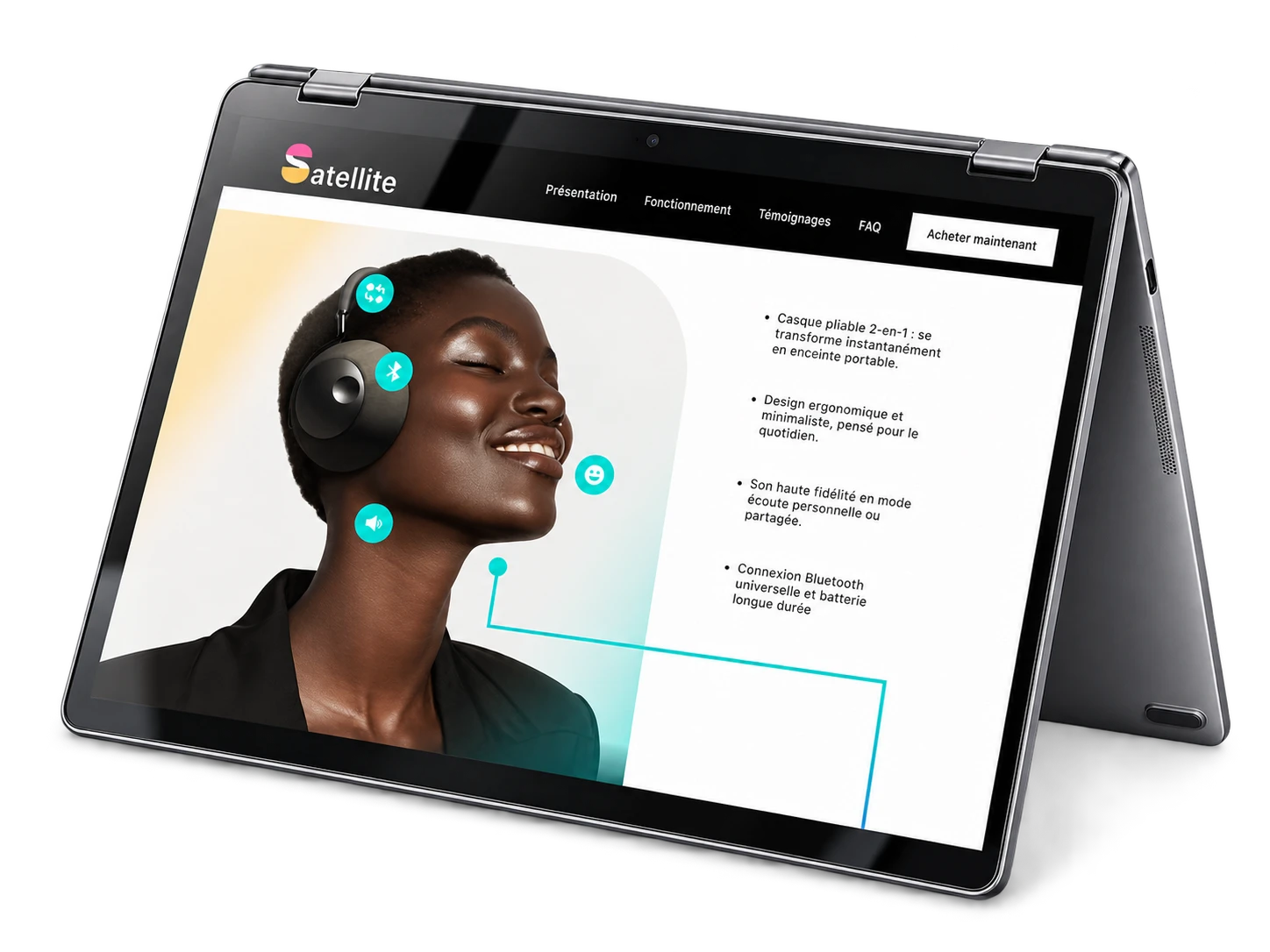
Satellite is the design of a fictional product website, presented as an interactive Figma prototype. Creating a highly interactive web interface requires rigorous planning and testing before writing a single line of code. The challenge was to conceptualize a fictional digital product and map out a seamless user experience, without relying on a real development environment.
Brief and goal
Conceptualize a fictional digital product and map out a seamless user experience as an interactive Figma prototype, without relying on a real development environment.
Role and responsibilities
Research and mood board, low-fidelity sketches, design system in Figma (grids, typography), component architecture, building the interactive prototype and quality control.
Credits
School design project. This conceptual case study was based on the product designs, branding and images of the original Satellite project on Behance. All rights to the brand and the original assets belong to their creator. The design system and the prototype are my work.
Use of AI
No AI was used to make the project: the design system and the prototype were built by hand in Figma. I used Claude Code only to add this sheet to the portfolio, from my case study. My personal contribution includes the research, the mood board, the sketches, the design system, the component architecture, the interactive prototype and the quality control.
Production steps
-
Step 1: Research and mood board
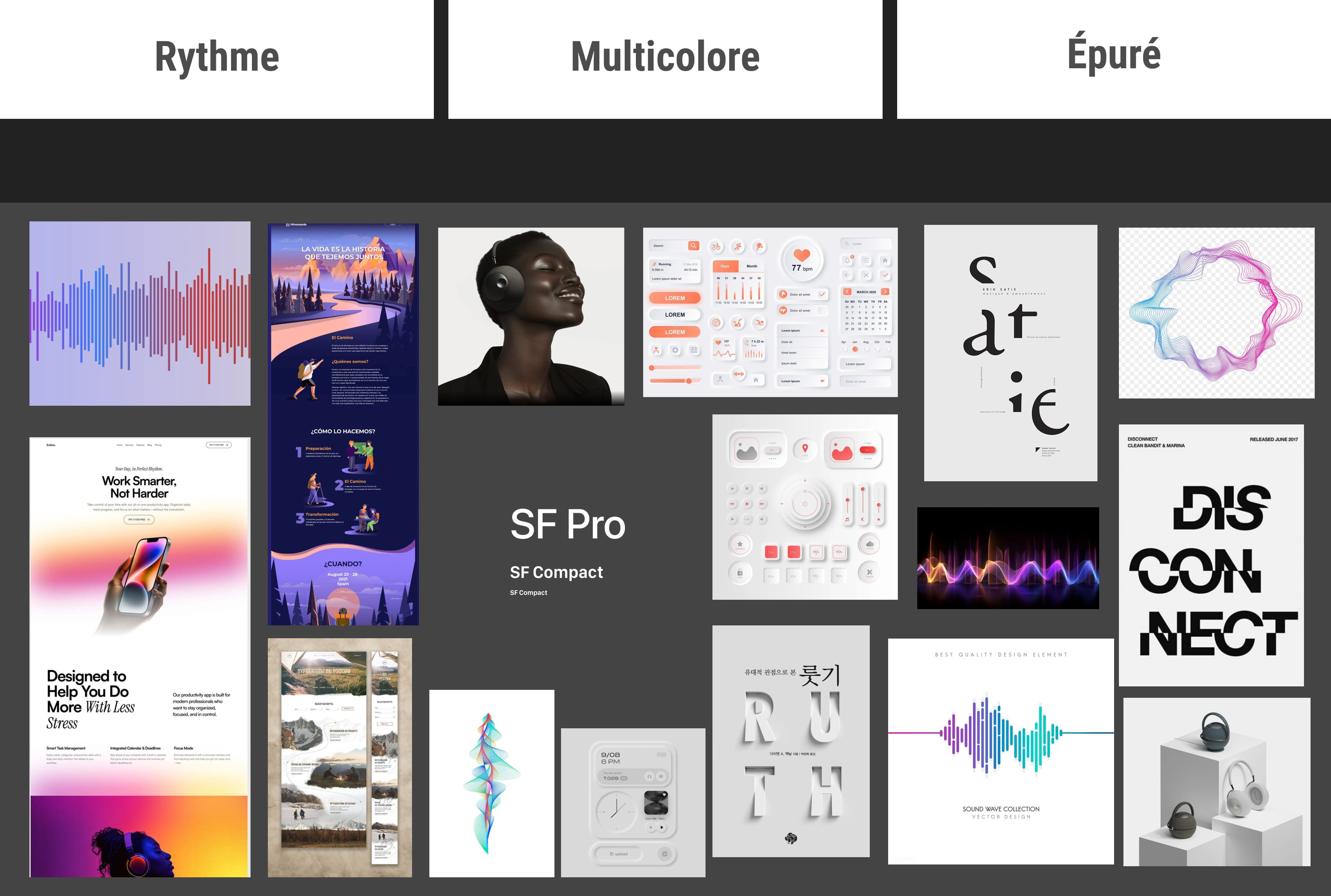
I first defined the product: Satellite, headphones that turn into a portable speaker, for people who listen to music in different situations. From comparable products and photos of the product, I summed up its mood in three keywords, rhythm, colourful and clean, then put together a mood board of interfaces, typefaces, colours and sound waves.
-
Step 2: Visual identity & wireframes
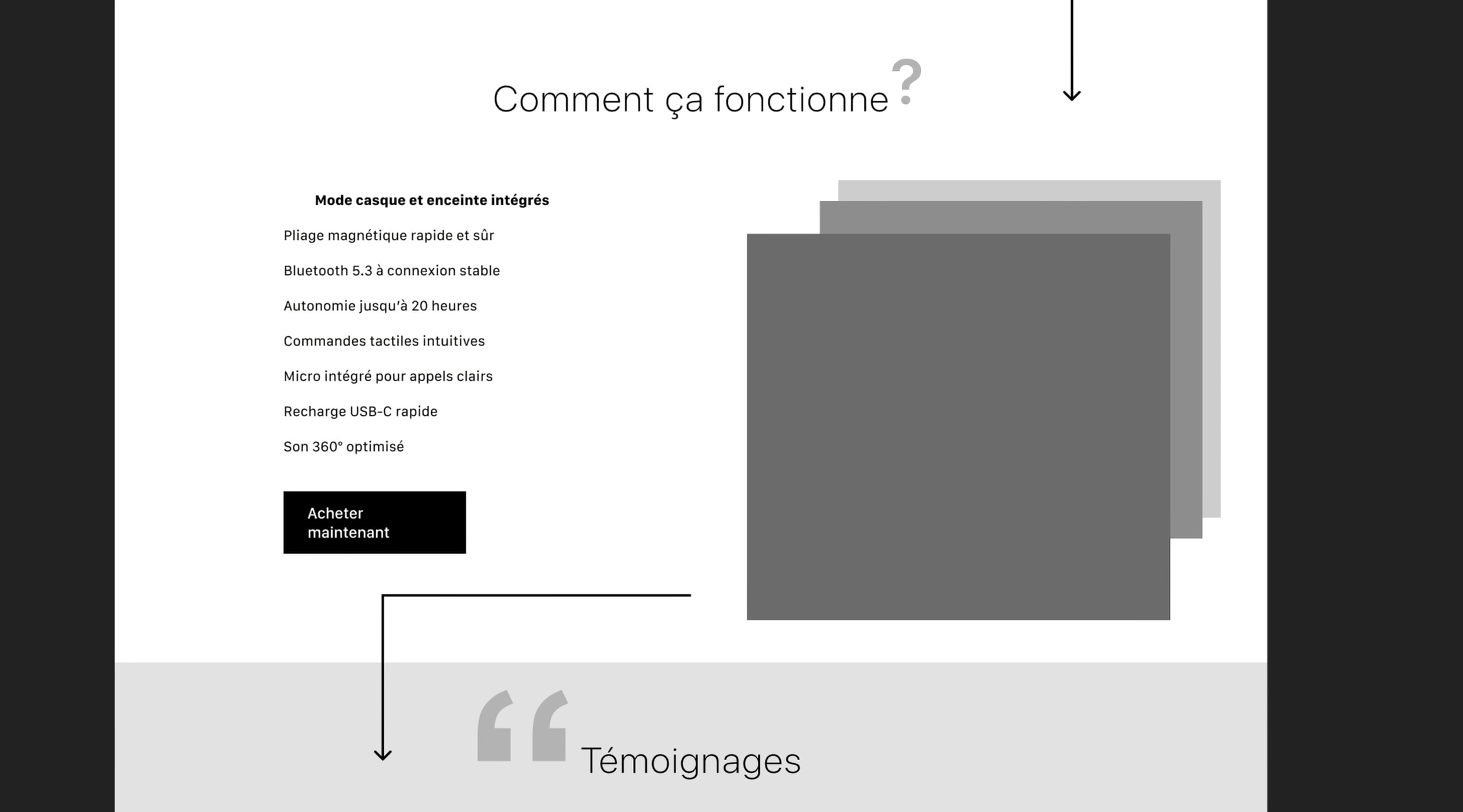
I started with low-fidelity sketches to establish the basic architecture, then moved to Figma to build a scalable design system with strict grids and modern brutalist typography.
-
Step 3: Component architecture
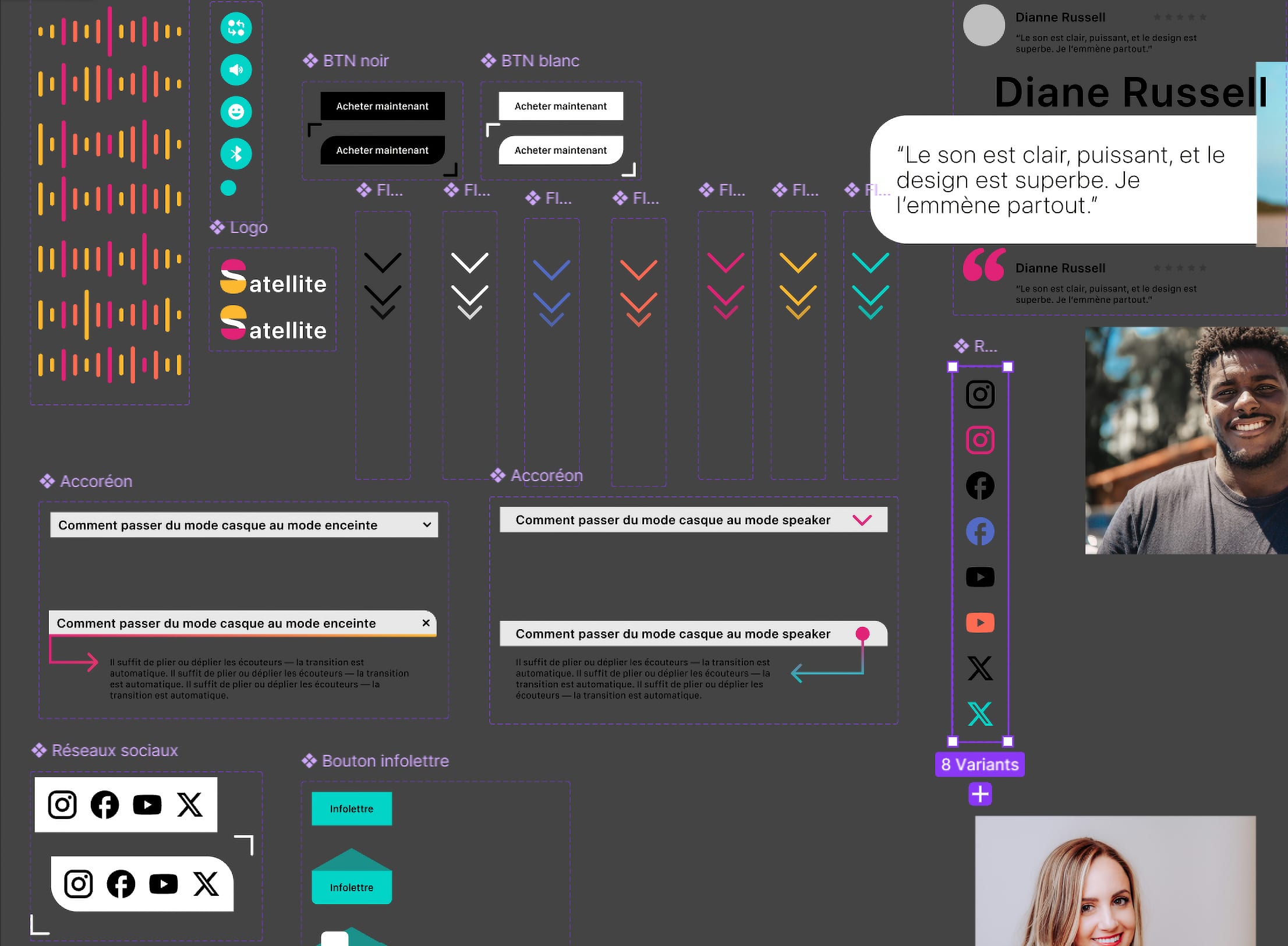
To keep the prototype maintainable, I built a rigorous component architecture with auto-layout buttons, interactive hover states and dynamic overlays to simulate a realistic browsing experience.
-
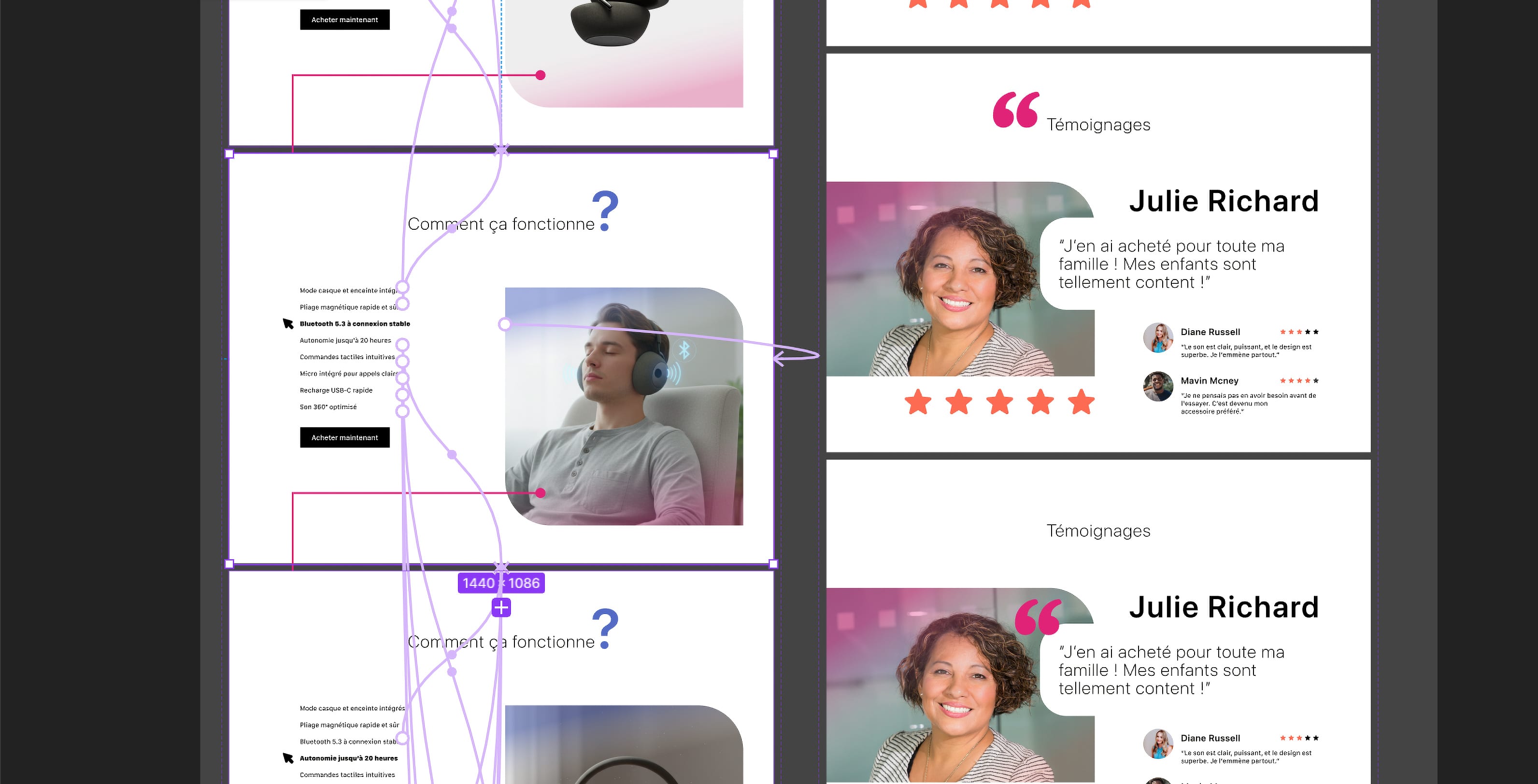
Step 4: Interactive prototype
I linked the screens in Figma’s prototyping engine: interactive components and smart animate reproduce micro-interactions and scroll-triggered animations, without JavaScript.
-
Step 5: Quality control
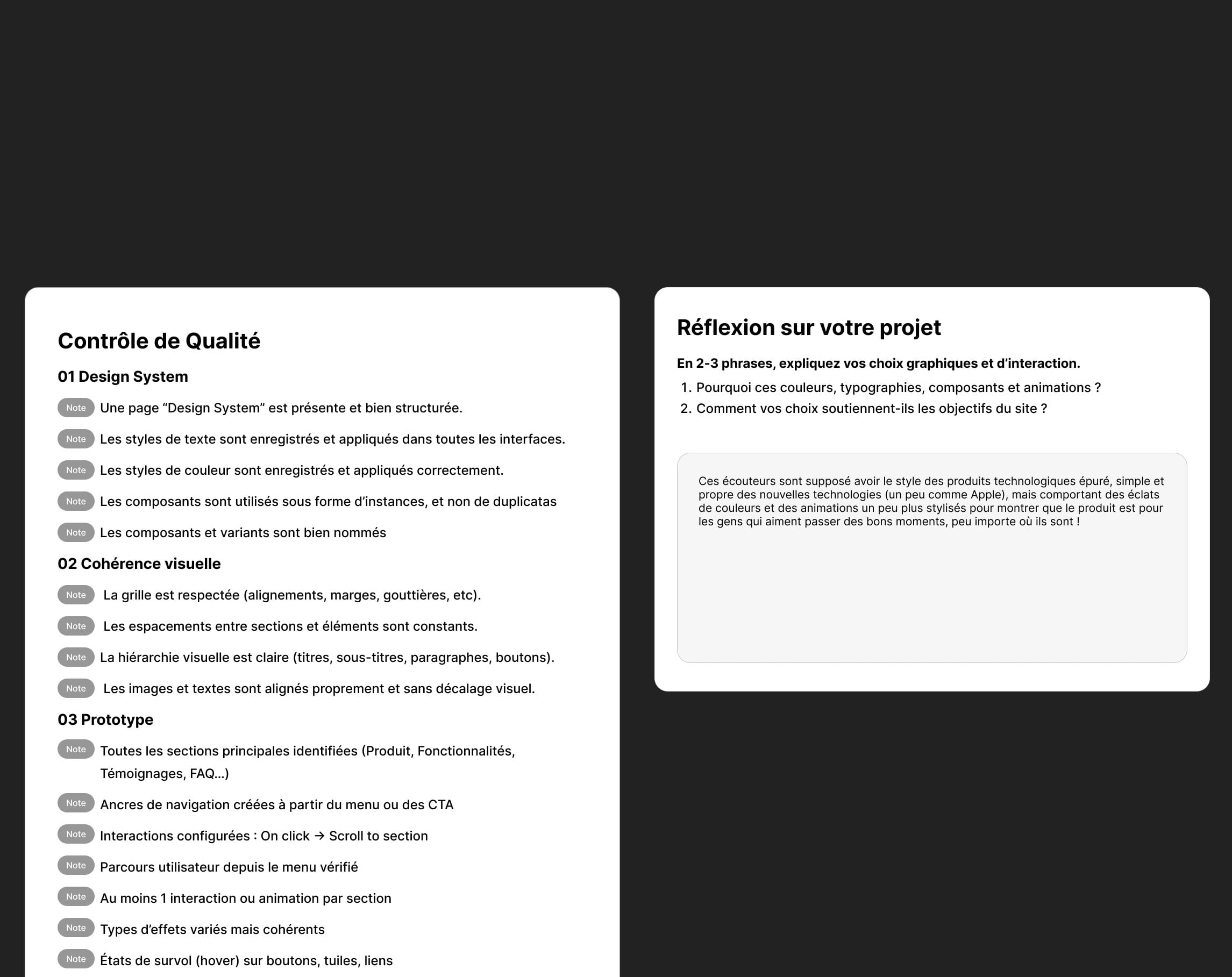
I finished with a five-part quality control of the Figma file: design system, visual consistency, prototype, naming and file structure. Among other things, it checks that components are used as instances, that the grid and spacing are consistent and that the user journey works from the menu. A reflection on my choices completes the file: a clean tech style, a bit like Apple, with bursts of colour to show that the product is made for having a good time.
Technologies
-
Design system, auto-layout components and high-fidelity prototype built entirely in Figma.
-
Figma’s advanced interactive components and smart animate reproduce micro-interactions and scroll-triggered animations, without JavaScript.
Challenges
Simulating complex micro-interactions and scroll-triggered animations only in Figma’s prototyping engine, without custom JavaScript.
Solutions
I used Figma’s advanced interactive components and smart animate to create a smooth, seamless experience that mimics a real production environment.
Final result
A high-fidelity Figma prototype that simulates realistic navigation: auto-layout components, hover states, overlays and micro-interactions.